
Download Legly – AI‑Powered Contract Review, Secure & Free Tool for Legal Teams
Introduction
Legly is a cloud‑based, AI‑driven contract‑review platform that transforms the traditionally cumbersome process of legal analysis into a fast, data‑rich experience. By automatically scanning uploaded agreements, Legly highlights deal‑breakers, flags missing clauses, and extracts key metadata such as renewal dates, payment terms, and jurisdiction. The tool is built for legal technology providers, law firms, and in‑house counsel who need a reliable way to surface risk before a contract is signed.
Its intuitive search engine lets users locate specific language across hundreds of documents in seconds, while the red‑flag report visualizes potential exposure in an easy‑to‑digest format. Legly also offers a robust API, enabling seamless integration with Contract Lifecycle Management (CLM) systems, Customer Relationship Management (CRM) platforms, and other enterprise applications. Whether you’re populating a CLM database or feeding data into a performance‑metrics dashboard, Legly ensures that critical contract information is always at your fingertips.
In addition to the core AI engine, the platform provides educational webinars, detailed documentation, and a community forum to help users maximize the benefits of AI in contract management. The service is available on a freemium model, allowing solo practitioners to review up to ten contracts per month at no cost, while larger teams can scale with paid tiers that unlock higher volumes, advanced reporting, and dedicated support. Security is a top priority: all files are encrypted in transit with TLS 1.3 and at rest with AES‑256, and the platform complies with GDPR, SOC 2, and ISO 27001 standards.
This combination of speed, accuracy, integration flexibility, and rigorous security makes Legly a compelling choice for modern legal operations.
Key Features and Installation Guide
Feature Highlights
- AI‑driven clause detection – automatically identifies standard, missing, and risky clauses based on customizable preference sets.
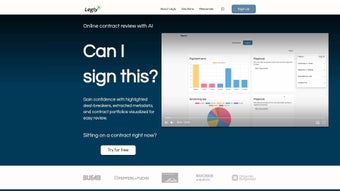
- Red‑flag risk reports – visual dashboards that prioritize high‑impact issues for quick decision‑making.
- Metadata extraction – pulls dates, amounts, parties, and other key data points for downstream system integration.
- Full‑text search – instant keyword and phrase search across all uploaded contracts.
- API access – RESTful endpoints for seamless integration with CLM, CRM, ERP, and custom applications.
- Webinars & resource center – on‑demand training sessions to help legal teams adopt AI best practices.
- Multi‑user collaboration – role‑based permissions and comment threads for team reviews.
- Secure cloud storage – encrypted at rest and in transit, meeting GDPR, SOC 2, and ISO 27001 standards.
Installation & Usage Instructions
Getting Legly up and running is a straightforward three‑step process designed for both tech‑savvy administrators and non‑technical legal professionals. The platform is delivered entirely as a SaaS solution, so there is no client‑side installation required beyond a modern web browser.
- Create an account. Visit the Legly homepage, click “Sign Up,” and enter your corporate email address. After you receive a verification link, confirm it to activate your workspace. During onboarding you can select a trial plan that grants full access to all premium features for 14 days.
- Configure your preferences. Once logged in, navigate to the “Settings” panel. Here you can define the clause library, set risk thresholds, and map extracted metadata fields to your existing CLM or CRM schemas. Legly ships with pre‑built templates for common industries (SaaS, manufacturing, healthcare) that you can adopt out‑of‑the‑box or tailor to your organization’s terminology. The “User Management” tab allows you to invite team members, assign roles such as Reviewer, Administrator, or Viewer, and establish approval workflows.
- Upload contracts. Drag‑and‑drop PDFs, Word documents, or scanned images into the “Document Hub.” Legly’s OCR engine instantly converts scanned files into searchable text, after which the AI engine begins analysis. Within minutes you’ll receive a red‑flag report that highlights high‑risk clauses, missing provisions, and compliance gaps. The report can be exported as a PDF or CSV, and a summary view is available directly within the dashboard for quick stakeholder review.
For organizations that require deeper integration, generate API keys in the “Developer” section. The documentation includes sample code snippets in Python, JavaScript, and Java, allowing developers to push contracts directly from internal systems to Legly for automated review. Webhooks can also be configured to trigger notifications in Slack, Microsoft Teams, or email whenever a new contract is processed or a high‑risk flag is raised. If you encounter any issues, the support portal offers a live chat option, a knowledge base, and the ability to submit a ticket with detailed logs for faster resolution.
Compatibility, Pros and Cons
Supported Platforms
Legly is a pure web application, meaning you can access it from any modern browser without installing additional software. Officially supported browsers include Chrome, Edge, Firefox, and Safari (version 13 or newer). Because the service runs in the cloud, it works on all major operating systems, ensuring that legal teams can collaborate from any device:
- Windows 10/11
- macOS 12 and newer
- Linux distributions with a recent kernel
- iOS 14 + (via Safari)
- Android 9 + (via Chrome)
All data is stored in a highly available, geographically redundant data‑center network, ensuring low latency and compliance with regional data‑privacy laws. The platform also offers Single Sign‑On (SSO) via SAML 2.0 and OAuth, making it easy to integrate with Azure AD, Okta, or Google Workspace for centralized user management.
Pros
- Fast AI analysis – most contracts are processed in under two minutes, dramatically reducing review cycles.
- Customizable clause library – adapt the engine to industry‑specific terminology and regulatory requirements.
- Seamless API – integrates with existing CLM/CRM tools without custom middleware, saving development time.
- Strong security posture – end‑to‑end encryption, regular third‑party audits, and compliance certifications (GDPR, SOC 2, ISO 27001).
- User‑friendly UI – minimal training required for legal teams, with drag‑and‑drop uploads and clear visual reports.
- Scalable pricing – a free tier for low‑volume users and flexible enterprise plans that grow with contract volume.
Cons
- Dependence on internet connectivity – offline review is not supported, which may be a limitation for highly restricted environments.
- Initial setup of custom clause templates may require legal expertise, potentially adding a short onboarding overhead.
- Pricing tiers for high‑volume users can become costly for very large enterprises, especially when advanced analytics are required.
- Advanced reporting features, such as custom dashboard widgets, are limited to paid plans.
- OCR accuracy, while high (>95 %), may still struggle with heavily hand‑written annotations or low‑resolution scans.
Overall Verdict: Legly delivers a powerful blend of AI accuracy, integration flexibility, and security, making it an excellent choice for midsize law firms and corporate legal departments looking to modernize contract review.
Frequently Asked Questions
-
How does Legly protect confidential contract data?
All files are encrypted in transit using TLS 1.3 and at rest with AES‑256. Role‑based permissions restrict access, and comprehensive audit logs record every view, download, or edit action for full traceability.
-
Can Legly handle scanned PDFs and images?
Yes. Legly includes an OCR engine that converts scanned documents into searchable text before the AI analysis begins, achieving >95 % accuracy on standard legal fonts and layouts.
-
Is there a free trial or freemium version?
A 14‑day free trial is available with full feature access. After the trial, a basic tier remains free for up to 10 contracts per month, which is ideal for solo practitioners or small boutique firms.
-
How does the API authentication work?
The API uses token‑based authentication (Bearer tokens). Tokens are generated in the dashboard and can be rotated or revoked at any time, supporting strict security policies and compliance requirements.
-
What integration options are available for existing CLM systems?
Legly provides pre‑built connectors for popular CLM platforms such as DocuSign CLM, Icertis, and Agiloft, as well as generic webhooks for custom workflows. Detailed API documentation helps developers embed Legly directly into proprietary contract pipelines.
-
Does Legly support multi‑language contracts?
Currently Legly’s AI models are optimized for English‑language contracts, but the OCR engine can extract text from documents in many languages. Future road‑maps include multilingual clause libraries and language‑specific risk models.
Conclusion – Why Legly Is the Smart Choice for Modern Contract Management
In today’s fast‑paced business environment, the ability to review contracts quickly, accurately, and securely is no longer a luxury—it’s a competitive necessity. Legly’s AI engine cuts review time by up to 70 % while delivering a level of consistency that manual checks simply cannot match. The platform’s flexible integration capabilities mean you can feed enriched contract data directly into your CLM, CRM, or analytics stack, turning legal documents into actionable business intelligence. Moreover, the emphasis on security, compliance, and user experience ensures that even the most risk‑averse organizations can adopt the tool with confidence.
Legly also excels in scalability. Small firms can start with the free tier, while larger enterprises can scale to millions of contracts per year without sacrificing performance. The combination of a powerful clause‑detection engine, intuitive dashboards, and a robust API makes it a one‑stop solution for any legal operation looking to modernize its workflow. If you’re aiming to reduce bottlenecks, lower legal costs, and gain real‑time visibility into contractual obligations, Legly offers a free trial that lets you experience the benefits first‑hand.
Download Legly today, run a pilot on your most critical agreements, and see how AI can transform your contract workflow.



.png)



